

Planning Poker Estimation
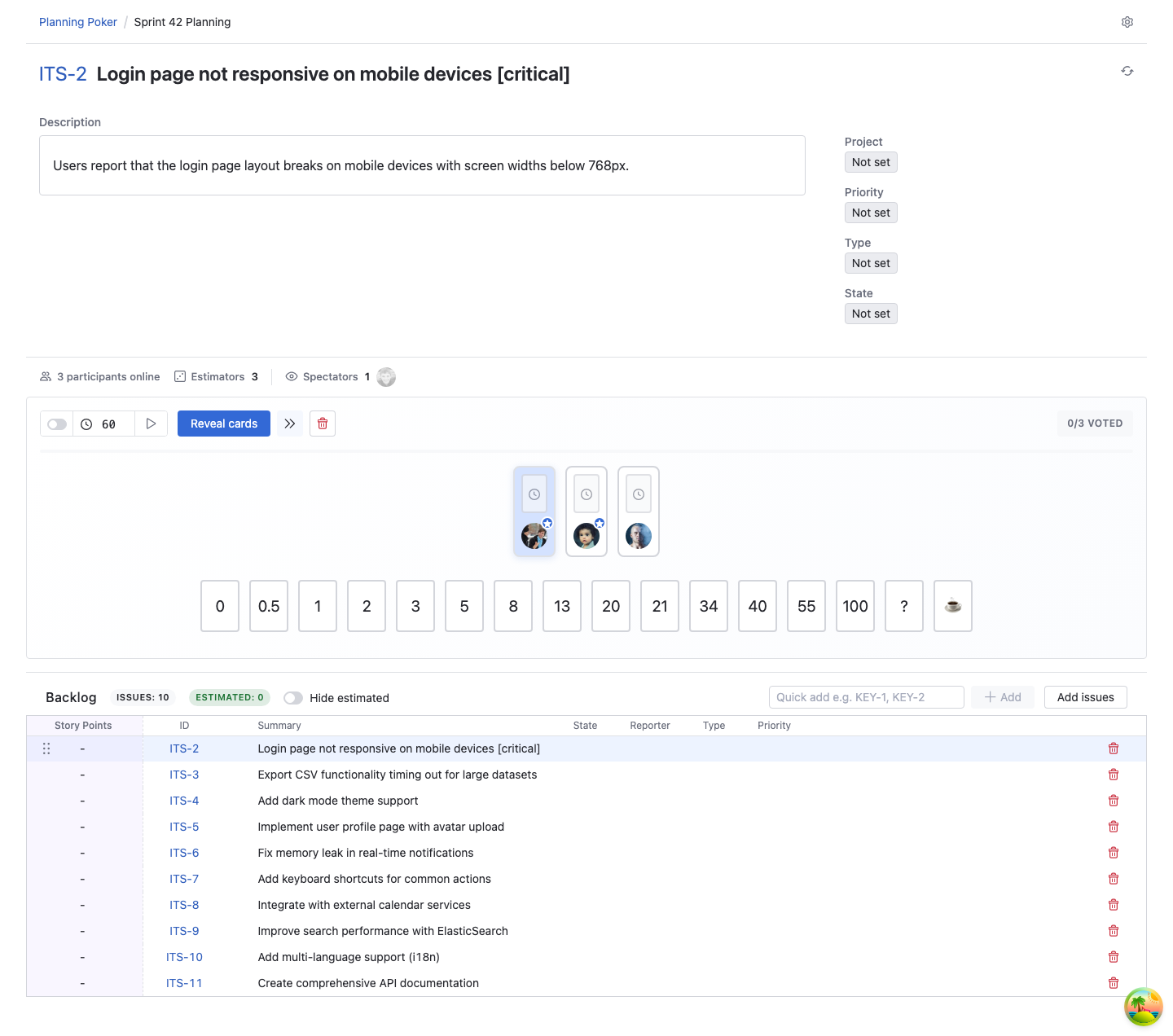
Welcome to the Planning Poker Estimation documentation. This application brings collaborative Planning Poker sessions directly into YouTrack, enabling teams to estimate work efficiently without switching tools.
✨ Key Features
- Seamless YouTrack Integration: Select issues from your backlog, view issue details during estimation, and save estimates directly to YouTrack fields
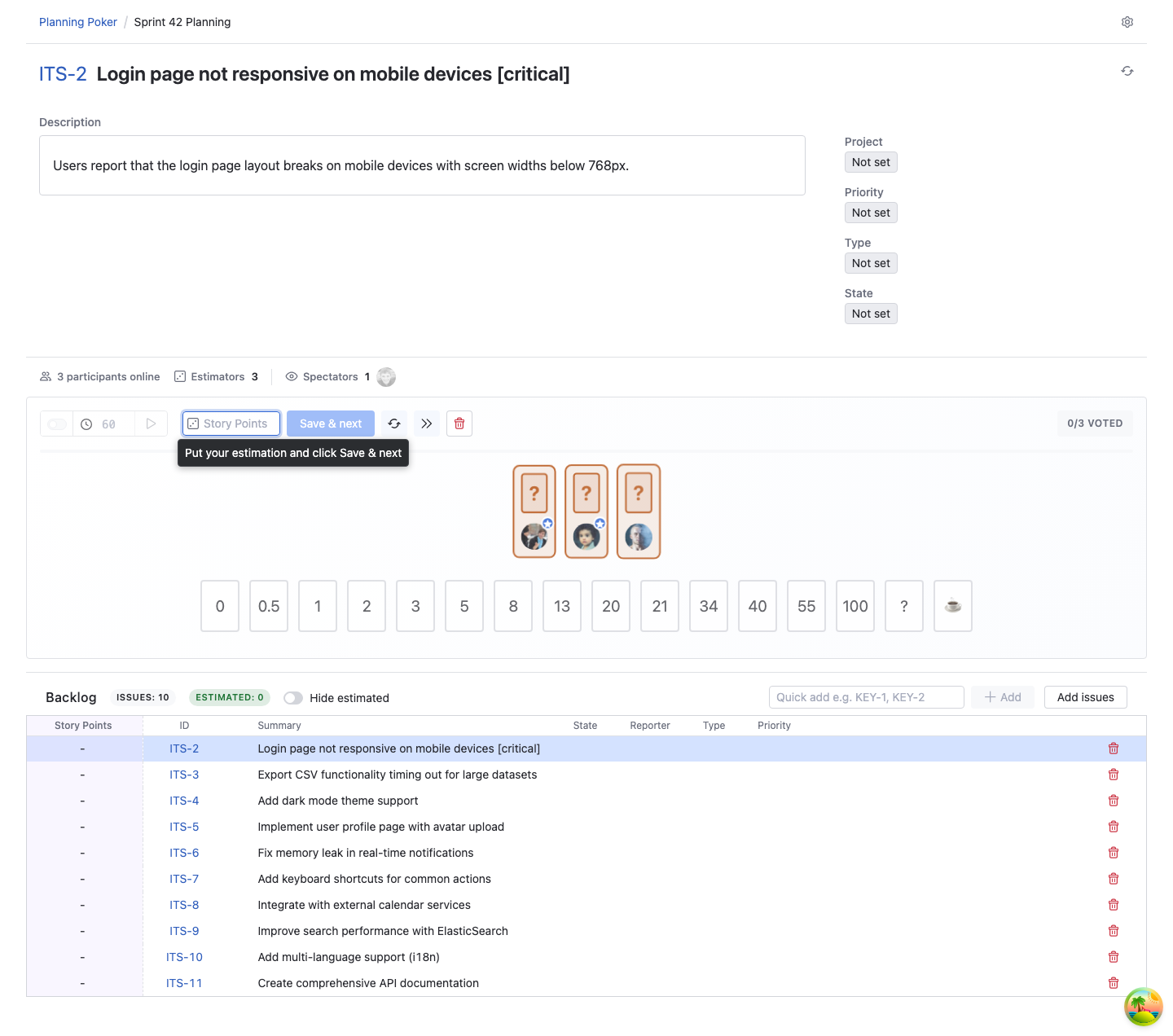
- Unbiased Voting: All estimates remain hidden until everyone has voted, ensuring independent thinking and eliminating hierarchy influence
- Real-time Collaboration: All actions sync instantly across participants, enabling seamless remote team collaboration
- Session Invitations: On YouTrack 2026.1.12024 or later, moderators and participants can copy a direct session link or a ready-to-send invitation message
- Flexible Configuration: Choose moderators, estimators, and spectators. Set sessions as private or public. Customize card decks to match your workflow
- Advanced Issue Collaboration: On Pro and Enterprise plans, teams can edit issue descriptions, review comments, and add new comments without leaving the session
- Multiple Card Decks: 5 ready-to-use decks (Default, Standard Fibonacci, Modified Fibonacci, Power of 2, Natural Numbers) plus special cards (? for unclear requirements, ☕ for breaks)
- Estimation Timers: Set optional timers to keep discussions focused and sessions moving efficiently
- Support for Multiple Field Types: Save estimates to Integer, Float, Period or Enum fields
- 16 Languages Supported: Full internationalization across the app
🎯 Why Use Planning Poker Estimation?
Planning Poker is a proven estimation technique that helps teams:
- Eliminate Bias: Hidden votes prevent anchoring and groupthink
- Encourage Discussion: Divergent estimates spark valuable conversations about complexity and approach
- Build Consensus: Teams reach shared understanding through collaborative discussion
- Stay Focused: All estimation happens in YouTrack — no context switching, no external tools
- Save Time: Estimates are easily saved to your chosen YouTrack field
Unlike manual estimation or external tools, Planning Poker Estimation keeps everything in one place, maintaining a single source of truth for your team's work estimates.
🚀 Quick Start
- Administrators: Install from JetBrains Marketplace and review the Admin Guide for subscription setup
- Moderators: See the Moderator Guide to learn how to create and manage estimation sessions
- Estimators: Check the Estimator Guide to participate effectively in sessions
- Subscription: Review Subscription information for details on Starter, Pro, and Enterprise plans
Minimum Requirements
- YouTrack Compatibility: YouTrack Cloud or YouTrack Server (2024.3.0 or later)
- Direct Session Links: Copyable session links, invitation messages, and direct open-from-link behavior require YouTrack 2026.1.12024 or later because they use the YouTrack app navigation API
- Internet Connection: Required for subscription validation (offline activation available for Enterprise plans)
Offline Activation available
Enterprise plans support offline activation for teams working in air-gapped or security-restricted environments.
🎓 How It Works
Planning Poker Estimation follows a simple three-step process:
- Create Session: Moderator creates a session, selects issues from the backlog, chooses a card deck, and chooses team members on plans that include participant roles
- Vote & Discuss: Team discusses each issue, then everyone selects their estimate card privately. Cards remain hidden until all votes are in
- Reveal & Consensus: Cards are revealed simultaneously. Team discusses differences and reaches consensus. On eligible plans, moderators can allow vote changes after reveal. Final estimate is saved to YouTrack
📊 Supported Estimation Fields
Planning Poker Estimation can save estimates to:
- Integer Fields
- Float Fields (for decimal estimates)
- Period Fields (for time-based estimates like hours or days)
- Enum Fields (single or multi-value) - You can use enum options as estimation cards
🌍 Multilingual Support
The application is fully translated into 16 languages:
English, Polish, German, French, Spanish, Italian, Portuguese, Russian, Ukrainian, Czech, Hungarian, Turkish, Chinese, Japanese, Korean, Dutch
Language is automatically detected from your YouTrack profile preferences.
Need Help? Contact support@appfero.com or visit our FAQ page.